A simpler way to bring your people along and help organizers welcome everyone.
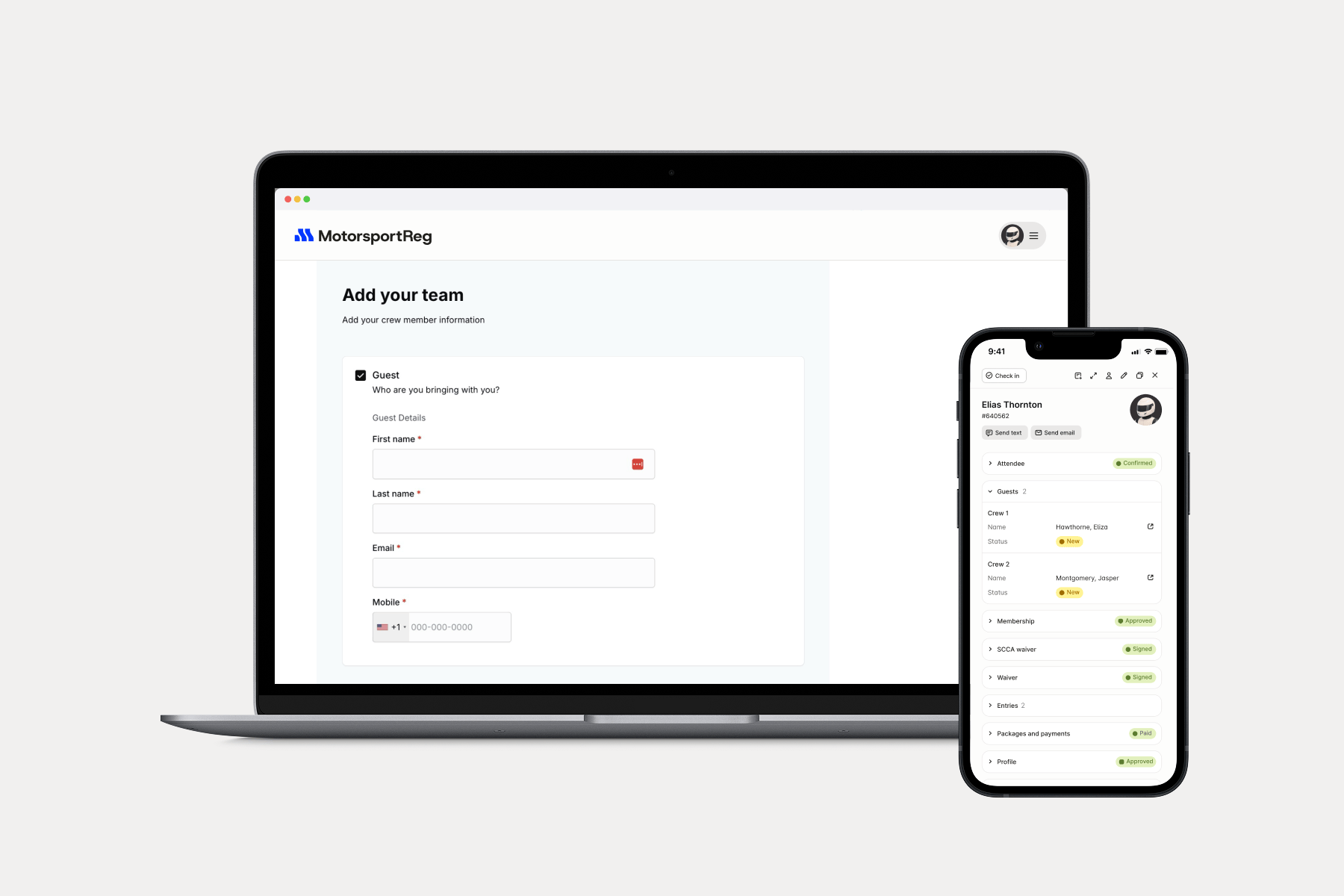
Today, we're introducing Guests, a new way for you to collect guest information as part of an attendee's registration, making it easier to manage everyone attending an event.
One registration. Everyone accounted for.
With Guests, you can now add guest options directly to your registration forms. When someone registers for an event, they can include the people coming with them, providing their names and contact information without requiring each guest to complete a separate registration.
Here are a few ways it makes life easier:
- For racing teams: Collect crew member information alongside a driver's entry, whether they're bringing one crew member or an entire support team.
- For families: Make it easy for participants to include spouses, children, and other family members attending the event.
- For event organizers: Know who's coming, manage guest passes, collect waivers, and check everyone in from one place.
Guests are automatically added to the event's attendee list, so you can see who's attending and who they're accompanying.
Flexible options for every event
No two events are exactly alike so we've designed flexible options for everyone.
You can configure guest packages to match the way your events work, including free or paid guest passes, inventory limits, and different categories of guests.
For example, a race entry might include two complimentary crew passes, with additional passes available for purchase. Or an event might offer separate options for family members, spectators, and VIP guests.
You can also choose to collect mobile phone numbers and send SpeedWaivers to guests, helping everyone take care of the necessary details before arriving at the event.
A smoother experience from registration to check-in
Collecting guest information is just the beginning.
Because guests appear in the same attendee list as registered participants, you can search for them in the Attendee list, review their information, and check them in just like you would a registered attendee.
Guest records also show which registered attendee they're accompanying, making it easy to understand who's connected to whom.
Getting started is easy
Guests is available to event organizers through the MotorsportReg Form Builder.
To get started:
- Open your event's Form Builder and create a new package.
- Configure the guest package's pricing, inventory, and settings.
- Select Guests from the Package Extensions menu.
- Choose your guest categories and optional waiver settings.
- Add the package to your registration form.
That's it! Your attendees can now add their guests when registering, and you'll find everyone in your event's attendee list.
Learn how to set up Guests & Crew
Making motorsports easier, together
Guests & Crew is another step in our ongoing effort to make MotorsportReg work better for the ways people actually participate in your events.
Earlier, we introduced Profile Sharing to make it easier for teams, families, and friends to register one another for events. Now, Guests makes it easier to include the people who come along, even when they're not participating themselves.
Because motorsports have always been about more than individual participating. They're about the teams, the families who spend weekends at the track, and the friends who make every event memorable.