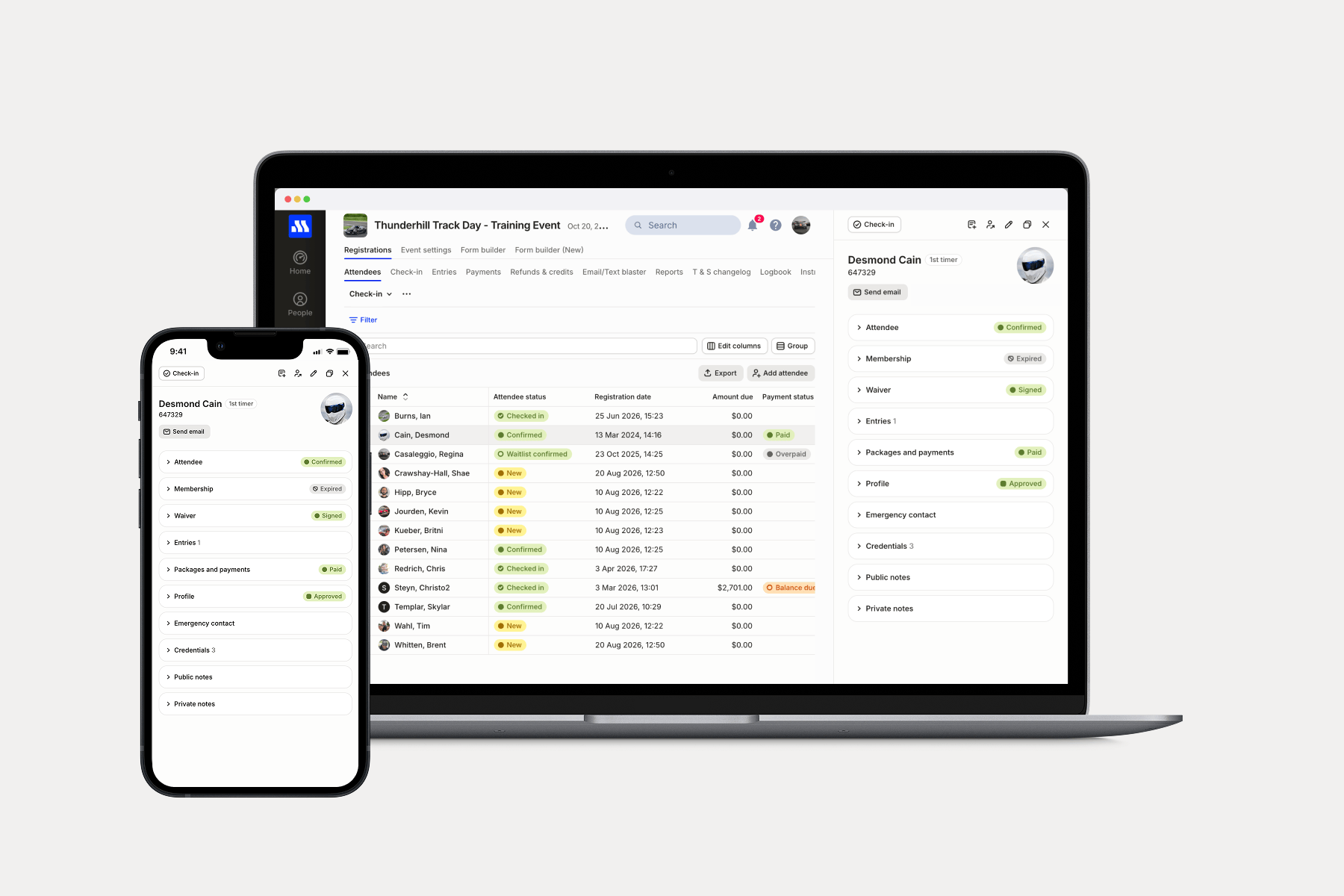
Event day moves quickly. Whether you’re checking in participants, answering questions, or reviewing registrations, you shouldn’t have to navigate away from your list and then find your place again.
Starting today, you can view attendee details, make updates, and complete check-in directly from your Attendees and Entries lists—all while keeping your list in view.
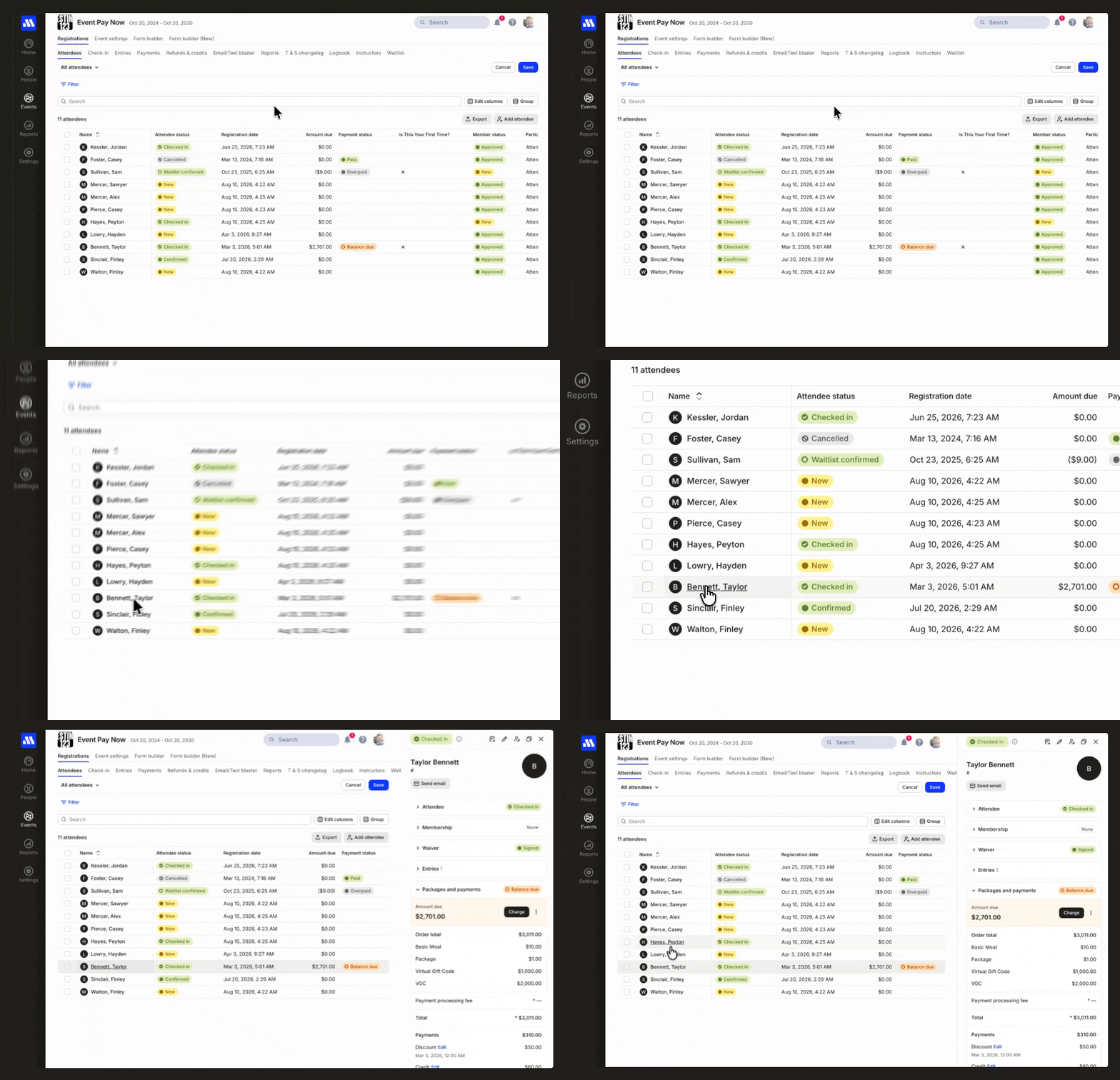
Keep your list and your place
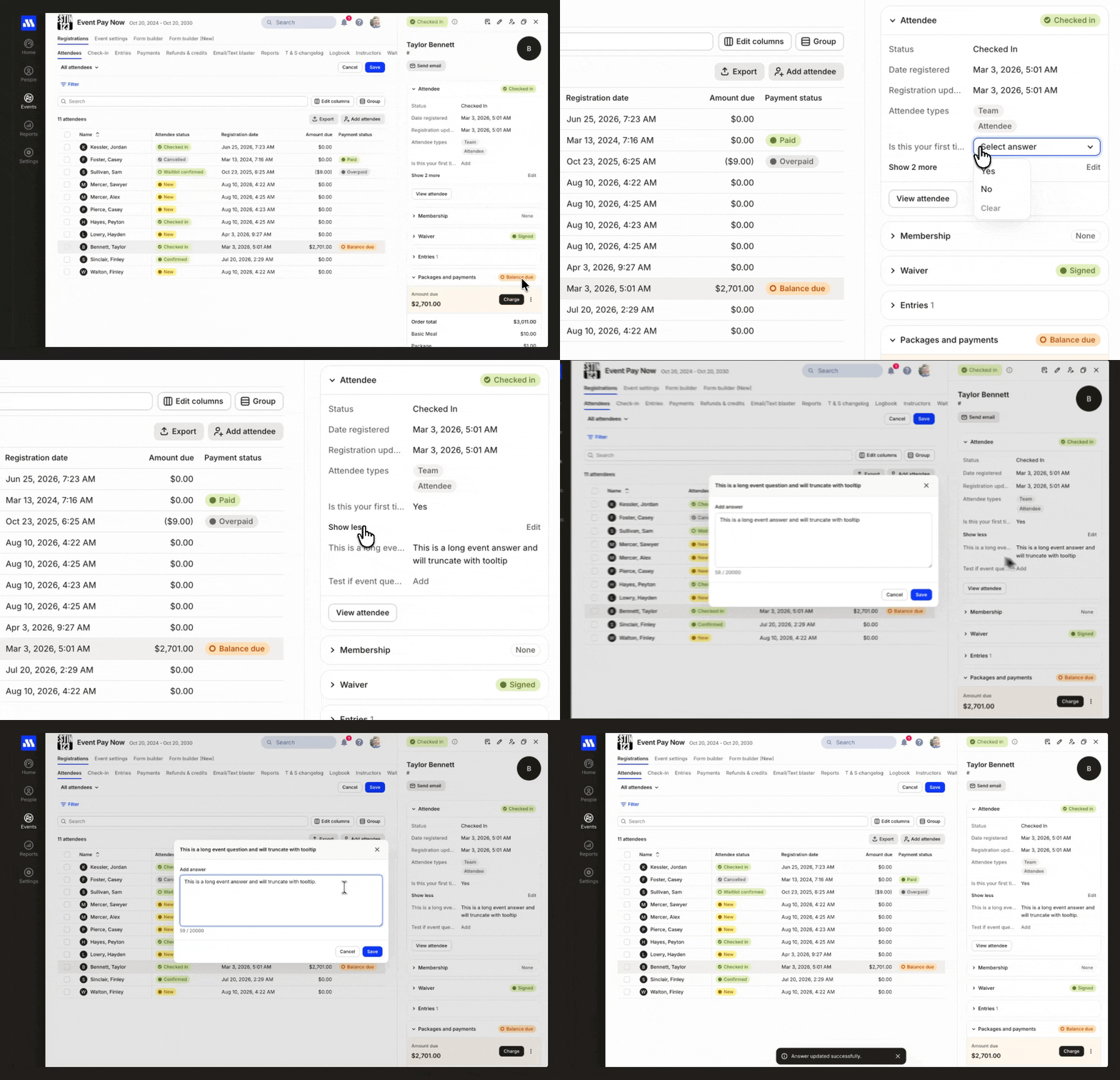
Attendee details now open alongside your list, so the list remains visible while you work. When you’re finished with one attendee, you can move directly to the next without navigating back or losing your place.
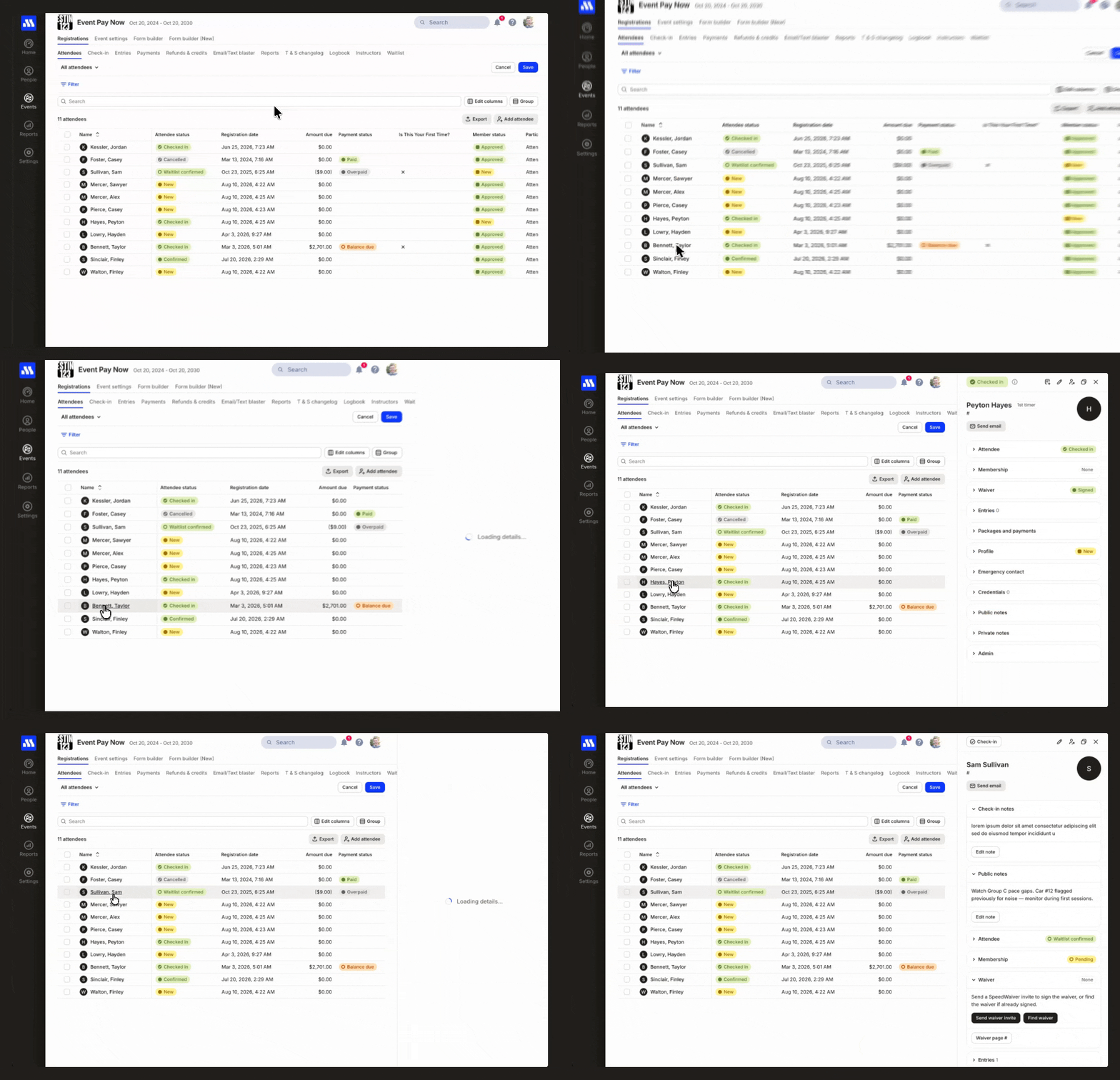
See everything you need in one place
Review profile, membership, waiver, attendee, entry, and credential information together. You can get the full picture without opening the attendee’s profile or moving between different screens.
Choose which fields appear so the information most important to your workflow is always close at hand. Each organizer can focus the details on what they need to accomplish.
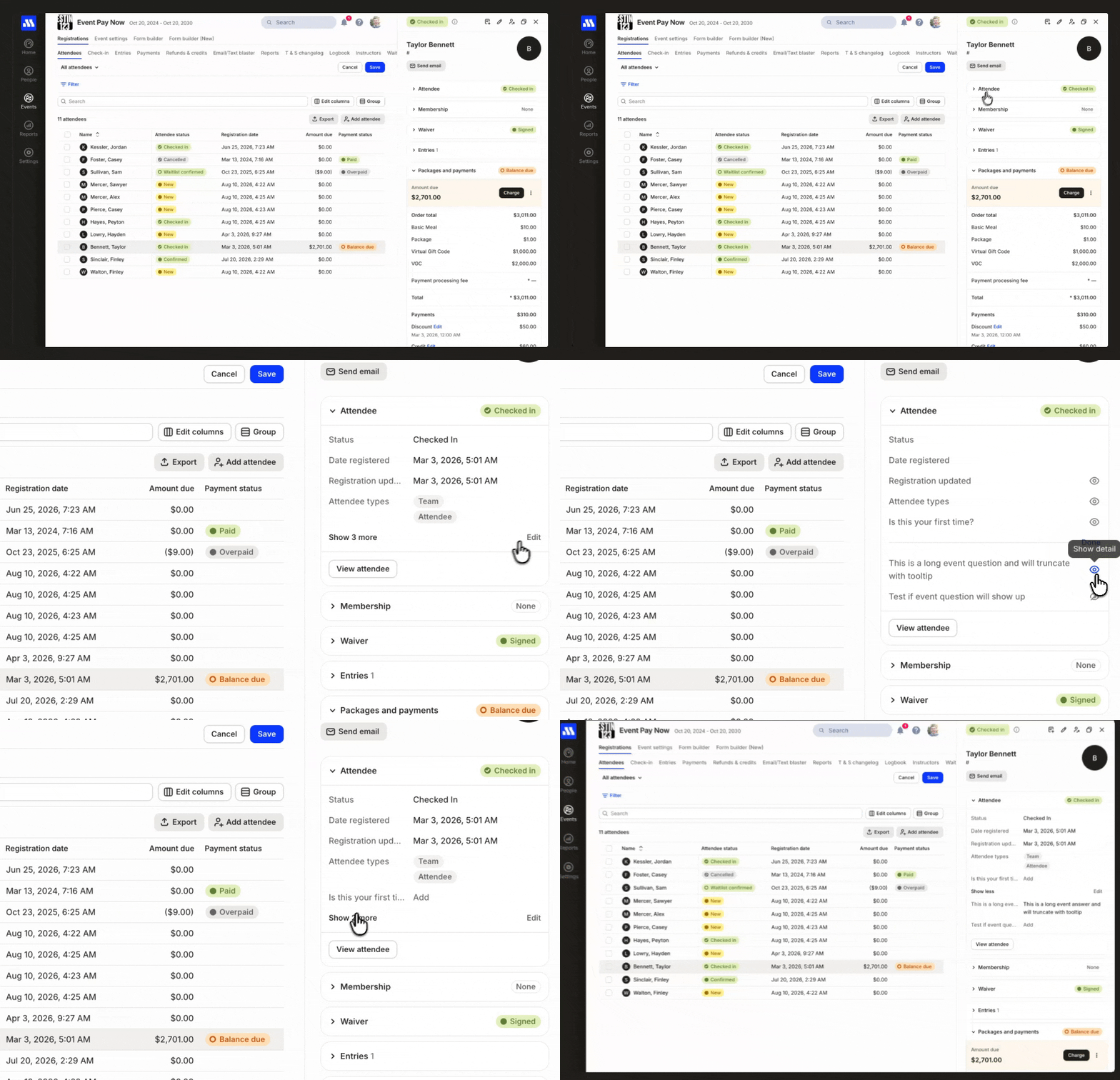
Update information without leaving the list
Edit profile and attendee fields directly from the attendee’s details. Changes are saved and synced in real time, helping everyone on your team work from the latest information.
Check in attendees from any View
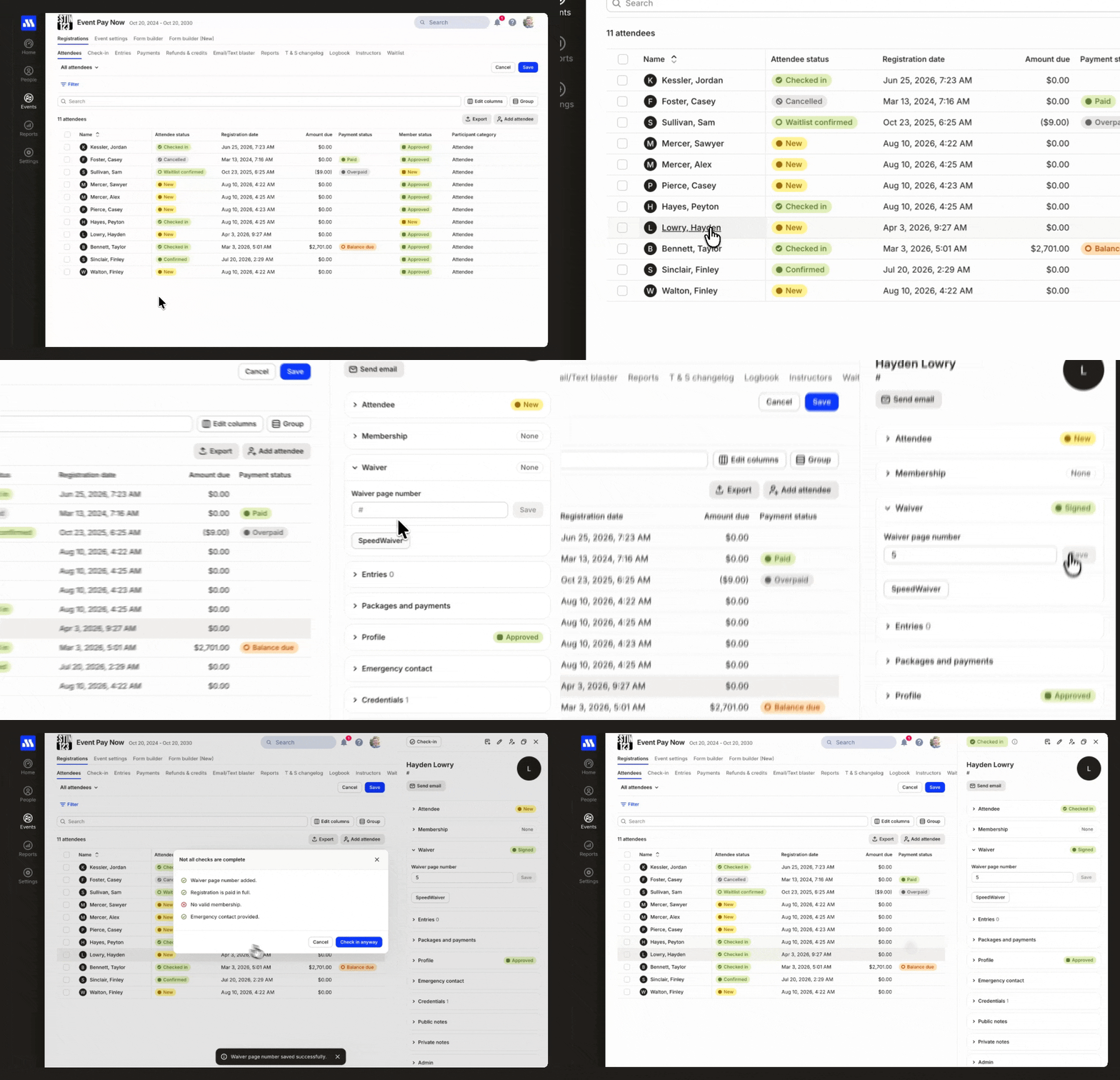
Earlier this year, we introduced upgraded Attendees and Entries lists, including Views with customizable columns, filters, and groupings. Instead of adapting your process to a fixed check-in screen, build a View around the way your event operates.
Now, you can check in attendees directly from any Attendees or Entries View.
One connected workflow for your team
Your team can now review details, make updates, and check in attendees from the lists it already uses. With changes syncing in real time, organizers in different locations can stay up to date throughout the event.
Ready to get started?
Open an event’s Attendees or Entries list, select an attendee, and explore the new details experience. You can also create a View with the columns, filters, and groupings your team needs for its next check-in.
The legacy Check-in page will remain available during the transition, giving your organization time to incorporate the new workflow into its event-day process. It will be retired by September 30, 2026, so we recommend creating and trying your new check-in Views before then.